
VidControl
Stop switching between HandBrake, MKVToolNix and Subtitle Edit.
Encode, remux, OCR and subtitle entire series – in one workflow.
Replace your entire encoding toolchain
100% Free
No trial, no hidden costs, no ads. Every feature, forever.
One Tool. Everything.
Encode, subtitle, OCR and process complete series – without switching tools.
100% Local
No cloud, no telemetry, no account. Runs from a USB stick if you want.
One Workflow. Start to Finish.
Drop your files in, configure once, let VidControl handle the rest.
Drop it in
Drag entire seasons at once. Tracks, chapters and metadata are picked up automatically.
Set once, reuse
Pick your tracks, choose a preset. Same settings apply to every file in the queue.
OCR & fix
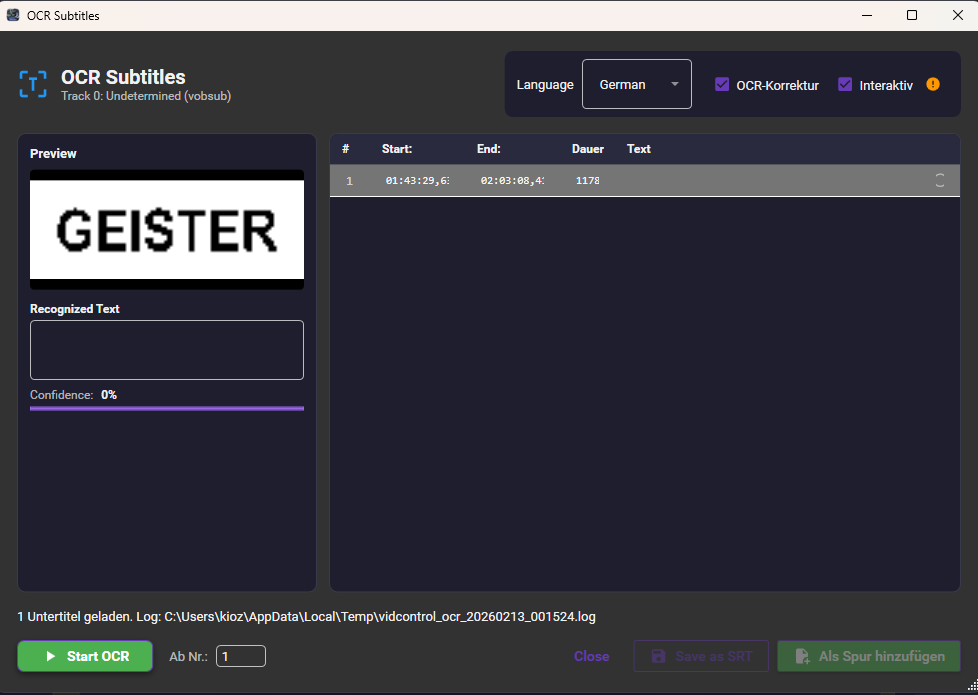
Image subs become text in seconds. Spell-check and timing – no extra tools.
Walk away
Hit Start. GPU batch encoding runs the entire queue while you do something else.
Features
GPU Encoding
Encode hours of video in minutes. NVENC, AMF, and QSV – your GPU does the heavy lifting.
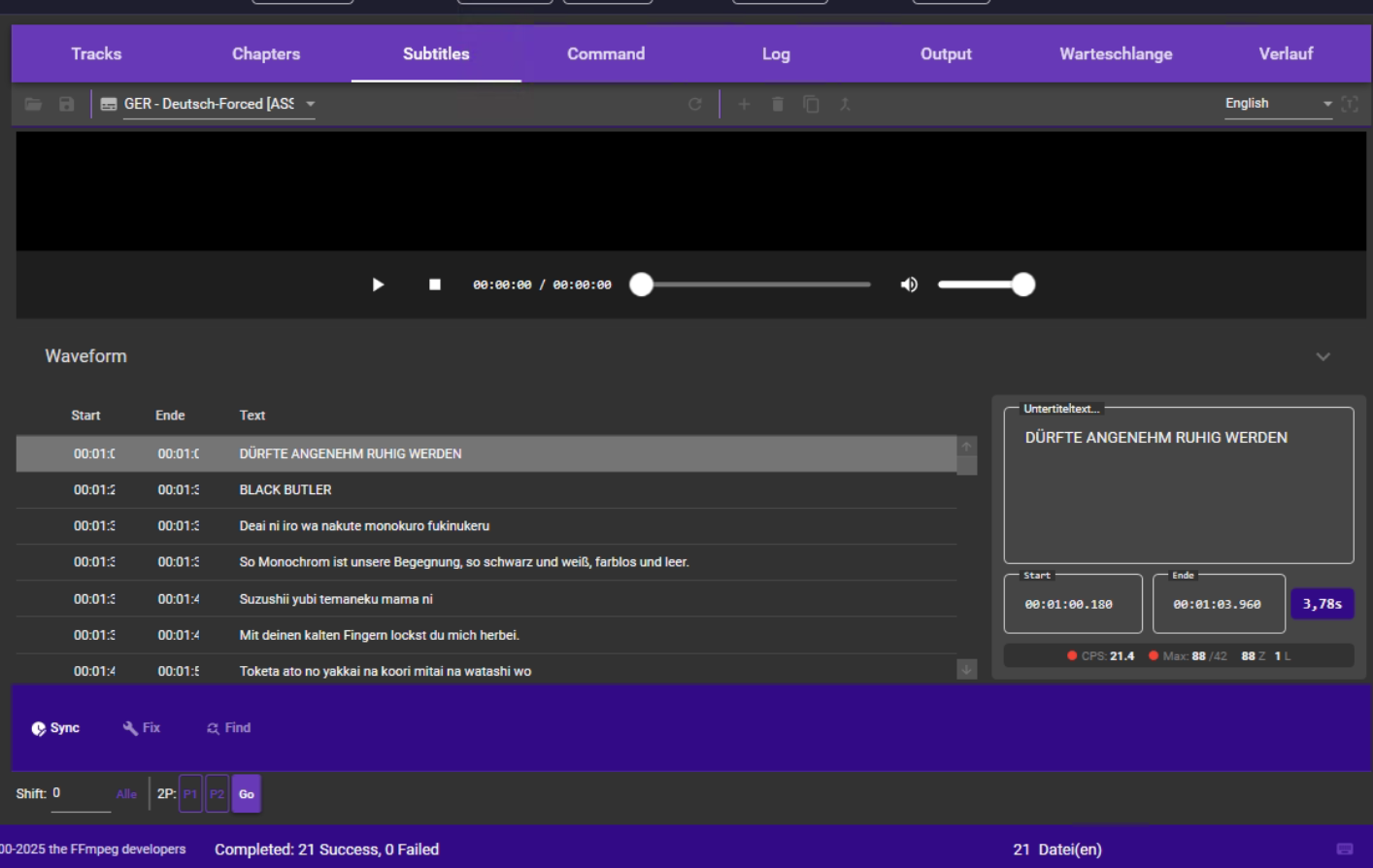
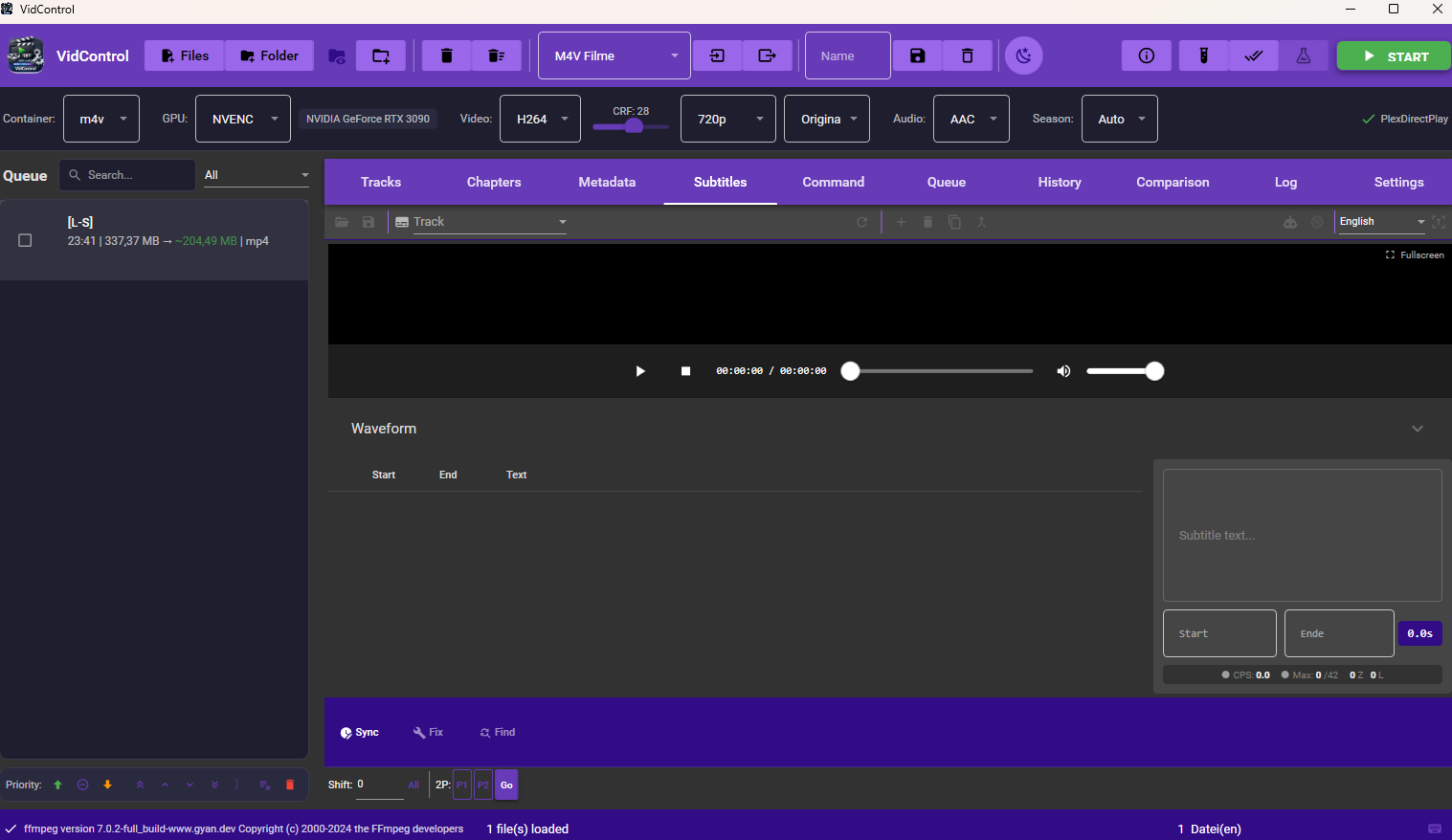
Subtitle Editor
OCR image subs to SRT, spell-check them, edit timing with a waveform – no external tools needed.
Batch Queue
Process entire seasons automatically – start once and walk away.
Encoding Presets
Set up once, reuse everywhere. Custom and built-in presets for any use case.
Crop Editor
Remove black bars with one click. Auto-detection handles the rest.
Intro Detection
Audio fingerprinting finds intros and credits across entire series – trim them automatically.
All Features at a Glance
Video Encoding
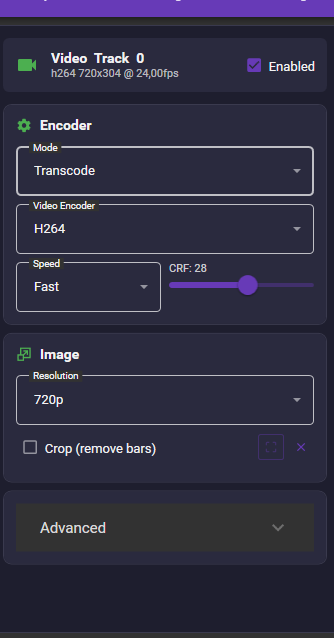
- H.264, H.265 (HEVC), and AV1 support
- GPU encoding: NVIDIA NVENC, AMD AMF, Intel QSV
- CRF mode for constant quality
- Audio: AAC, AC3, Opus – or passthrough
- Multiple audio and subtitle tracks
- Automatic GPU/hardware detection
Subtitles
- VobSub & PGS image subtitle OCR (Tesseract)
- Built-in SRT editor with waveform display
- Hunspell spell checking (DE/EN)
- Batch OCR for complete series
- Custom name list for OCR correction
- Native MKV parsing without external tools
Workflow
- Drag & drop import
- Batch queue with auto processing
- Watch folders – automatic monitoring
- Custom encoding presets
- Smart output naming
- Encoding history with statistics
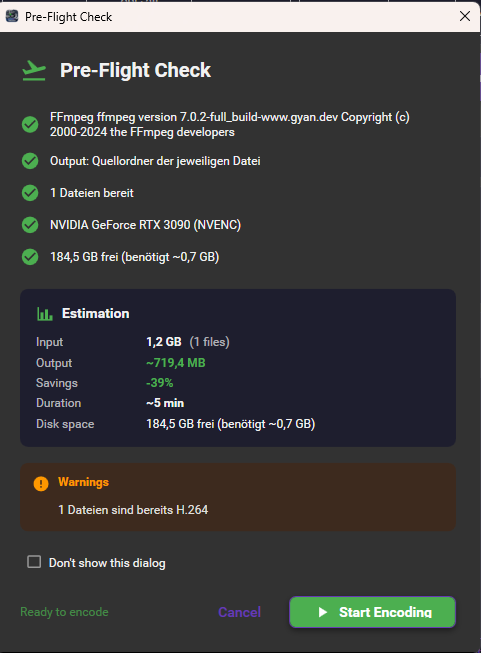
Screenshots
Changelog
- EAC3/Atmos audio in M4V output: FFmpeg muxer fix prevents exit code -22
- Intro detection retroactive: Already loaded files are scanned when enabling the feature
- Fixed pipe deadlocks in 5 services (DoviTool, AutoSync, PostProcessing etc.)
- Crash safety: fixed async-void crash in GPU monitor and update dialog
- Thread safety & resource leak fixes across 22 files
- OCR spell correction: Replacements now context-aware per word
- PropertyChanged notifications for file size, bitrate, speed, ETA
- EAC3/Atmos-Audio in M4V-Output: FFmpeg-Muxer-Fix verhindert Exit-Code -22
- Intro-Erkennung retroaktiv: Bereits geladene Dateien werden beim Aktivieren automatisch gescannt
- Pipe-Deadlocks behoben in 5 Services (DoviTool, AutoSync, PostProcessing u.a.)
- Absturzsicherheit: async-void Crash in GPU-Monitor und Update-Dialog behoben
- Thread-Safety & Resource-Leak Fixes in 22 Dateien
- OCR-Rechtschreibkorrektur: Ersetzungen nur noch kontextbewusst pro Wort
- PropertyChanged-Benachrichtigungen für Dateigröße, Bitrate, Speed, ETA
- Remove scene tags: Option to automatically strip release tags from filenames (e.g. German AC3 480p WEBRip XviD-FND)
- Queue context menu: Open output folder, open source file, move output file
- PDB files are no longer generated in release builds
- Scene-Tags entfernen: Option zum automatischen Entfernen von Release-Tags aus Dateinamen (z.B. German AC3 480p WEBRip XviD-FND)
- Queue-Kontextmenü: Ausgabeordner öffnen, Quelldatei öffnen, Ausgabedatei verschieben
- PDB-Dateien werden im Release nicht mehr erzeugt
- Custom titlebar: Toolbar is now the title bar — saves one row of height
- Min/Max/Close buttons clearly visible in purple toolbar (dark theme fix)
- Status bar at bottom doubles as drag area for window movement
- Custom Titlebar: Toolbar ist jetzt die Titelleiste — spart eine Zeile Höhe
- Min/Max/Close-Buttons klar sichtbar im lila Bereich (Dark Theme Fix)
- Statusleiste unten als zusätzlicher Drag-Bereich zum Fenster verschieben
- Minor bugfixes and stability improvements
- Bugfixes und Stabilitätsverbesserungen
- Settings decluttered: Progressive disclosure with collapsible expanders
- Advanced Video, Custom Filters, Expert Options, Post-Processing now collapsed by default
- Track Selection Rules: Basic options visible, advanced options in sub-expander
- ~40% less visual noise in Settings — no features removed, just hidden for power users
- Fixed: Auto-update check did not detect new versions due to HTTP caching — please update manually this one time
- Einstellungen entschlackt: Progressive Disclosure mit einklappbaren Expandern
- Erweiterte Video-, Custom Filter-, Experten-Optionen und Nachbearbeitung standardmäßig eingeklappt
- Spurauswahl-Regeln: Basis-Optionen sichtbar, erweiterte Optionen im Sub-Expander
- ~40% weniger visuelles Rauschen in den Einstellungen — kein Feature entfernt, nur für Power-User versteckt
- Behoben: Auto-Update hat neue Versionen wegen HTTP-Caching nicht erkannt — bitte dieses eine Mal manuell updaten
- Whisper Review: Spell check & consistency review after transcription
- Interactive spell check with Hunspell (same as OCR review)
- Consistency checks: duplicate entries, high CPS, short duration, inconsistent spellings
- Automatic language mapping (Whisper → Hunspell dictionaries)
- Whisper Review: Rechtschreibprüfung & Konsistenzprüfung nach Transkription
- Interaktive Rechtschreibprüfung mit Hunspell (wie OCR-Review)
- Konsistenzprüfung: Duplikate, hohe CPS, kurze Dauer, inkonsistente Schreibweisen
- Automatisches Sprach-Mapping (Whisper → Hunspell-Wörterbücher)
- Whisper dialog: All inputs locked during processing (only Cancel active)
- Whisper-Dialog: Alle Eingaben während Verarbeitung gesperrt (nur Abbrechen aktiv)
- Fixed Faster-Whisper-XXL extraction error (solid 7z archives)
- Generate button now disabled during download/extraction
- Added download size and extraction duration hint
- Faster-Whisper-XXL Entpackfehler behoben (solid 7z-Archive)
- Generate-Button wird während Download/Entpacken gesperrt
- Hinweis zu Downloadgröße und Entpackdauer hinzugefügt
- Faster-Whisper-XXL: AI speech recognition with VAD for accurate timestamps
- Automatic backend selection: Faster-Whisper preferred, whisper.cpp as fallback
- Language-specific whisper models: Chinese (Belle-large-v3) and Japanese (Kotoba v2.0)
- Specialized model download: One-click install from HuggingFace
- Sharpen/Denoise filters now work in Copy mode (auto-transcode)
- Improved file size estimation for hardware encoders (NVENC, QSV, AMF)
- Progress bar fix: Overall progress now updates correctly for single files
- Stability: Process cleanup on cancel, thread-safe progress tracking
- Faster-Whisper-XXL: KI-Spracherkennung mit VAD für präzise Timestamps
- Automatische Backend-Wahl: Faster-Whisper bevorzugt, whisper.cpp als Fallback
- Sprachspezifische Whisper-Modelle: Chinesisch (Belle-large-v3) und Japanisch (Kotoba v2.0)
- Spezialisierter Model-Download: Ein-Klick-Installation von HuggingFace
- Sharpen/Denoise-Filter funktionieren jetzt im Copy-Modus (Auto-Transcode)
- Verbesserte Dateigrößen-Schätzung für Hardware-Encoder (NVENC, QSV, AMF)
- Fortschrittsbalken-Fix: Gesamtfortschritt wird bei einzelnen Dateien korrekt angezeigt
- Stabilität: Prozess-Cleanup bei Abbruch, Thread-sichere Fortschrittsverfolgung
- CFR/VFR frame rate mode: Control constant vs. variable output
- Color range conversion: Limited (TV) / Full (PC) range
- Video rotation: Easy 90°/180°/270° rotation
- DVD restoration filters: DotCrawl removal, Chroma Smooth, Dejudder, Temporal Denoise
- Subtitle editor: Search fixed, better toolbar visibility, DELETE key support
- Subtitle list: Clear selection highlight, wider time columns
- CFR/VFR Bildratenmodus: Kontrolle ob Output konstant oder variabel
- Farbbereich-Konvertierung: Limited (TV) / Full (PC) Range
- Video-Rotation: Einfaches Drehen um 90°/180°/270°
- DVD Restaurierungs-Filter: DotCrawl, Chroma Smooth, Dejudder, Temporal Denoise
- Untertitel-Editor: Suchfunktion repariert, bessere Toolbar-Sichtbarkeit, DELETE-Taste
- Untertitel-Liste: Deutliche Auswahl-Markierung, breitere Zeitspalten
- A/B Comparison view with frame-by-frame quality check
- VMAF quality analysis (integrated libvmaf scoring)
- Test encode: 30-second preview before full encoding
- ASS/SSA subtitle style editor (fonts, colors, alignment)
- Scene detection with automatic chapter generation
- HDR tonemapping and deinterlace filter support
- Custom filter chain builder (20+ FFmpeg filters)
- Legacy format detection with modernization presets
- Dolby Vision profile detection and conversion
- Improved progress bar with real-time percentage
- A/B-Vergleichsansicht mit Frame-für-Frame Qualitätsprüfung
- VMAF Qualitätsanalyse (integriertes libvmaf Scoring)
- Test-Encode: 30-Sekunden Vorschau vor vollem Encoding
- ASS/SSA Untertitel-Style-Editor (Schriften, Farben, Ausrichtung)
- Szenenerkennung mit automatischer Kapitelgenerierung
- HDR-Tonemapping und Deinterlace-Filter Unterstützung
- Eigener Filter-Chain-Builder (20+ FFmpeg-Filter)
- Legacy-Format-Erkennung mit Modernisierungs-Presets
- Dolby Vision Profilerkennung und -konvertierung
- Verbesserte Fortschrittsanzeige mit Echtzeit-Prozent
- Fixed GPU detection on multi-GPU systems (dGPU now preferred over iGPU)
- All GPUs detected: NVENC, QSV, and AMF tested independently
- Unavailable encoders are now grayed out in the dropdown
- GPU info shows all available encoders at a glance
- GPU-Erkennung bei Multi-GPU-Systemen behoben (dGPU wird jetzt bevorzugt)
- Alle GPUs werden erkannt: NVENC, QSV und AMF unabhängig getestet
- Nicht verfügbare Encoder sind im Dropdown ausgegraut
- GPU-Info zeigt alle verfügbaren Encoder auf einen Blick
- Intro detection with audio fingerprinting
- Credits detection (silence analysis)
- Batch OCR for all files in queue
- In-app update mechanism
- Automatic signature updates for intro detection
- Intro-Erkennung mit Audio-Fingerprinting
- Abspann-Erkennung (Stille-Analyse)
- Batch-OCR für alle Dateien in der Queue
- In-App Update-Mechanismus
- Automatische Signatur-Updates für Intro-Erkennung
- Batch OCR for multiple files at once
- Interactive spell checking in OCR dialog
- Watch folder monitoring
- Improved VobSub timing correction
- Batch-OCR für mehrere Dateien auf einmal
- Interaktive Rechtschreibprüfung im OCR-Dialog
- Watch Folder Überwachung
- Verbesserte VobSub Timing-Korrektur
- GPU encoding: NVENC, AMF & QSV support
- New crop editor with preview
- Encoding presets (custom & predefined)
- Encoding history with statistics
- GPU-Encoding: NVENC, AMF & QSV Support
- Neuer Crop-Editor mit Vorschau
- Encoding-Presets (eigene & vordefinierte)
- Encoding-Verlauf mit Statistiken
- Completely new UI with dark theme
- Built-in subtitle editor with waveform
- Native MKV parsing
- Drag & drop import
- Komplett neues UI mit Dark Theme
- Integrierter Untertitel-Editor mit Waveform
- Native MKV-Parsing
- Drag & Drop Import
Feedback
Found a bug or have a suggestion? Let us know!
Downloads
| Version | Date | Size | Download |
|---|---|---|---|
| v2.7.4 Latest | 2026-03-10 | 69.1 MB | Download |
| v2.7.3 | 2026-02-27 | 69.1 MB | Download |
| v2.7.2 | 2026-02-25 | 69.6 MB | Download |
| v2.7.1 | 2026-03-24 | 36.1 MB | Download |
| v2.7.0 | 2026-02-20 | 69.6 MB | Download |
| v2.6.5 | 2026-02-19 | 69.5 MB | Download |
| v2.6.2 | 2026-02-19 | 69.5 MB | Download |
| v2.6.1 | 2026-02-19 | 69.5 MB | Download |
| v2.6.0 | 2026-02-18 | 69.5 MB | Download |
| v2.5.0 | 2026-02-16 | 69.1 MB | Download |
| v2.4.0 | 2026-02-16 | 69.1 MB | Download |
| v2.3.2 | 2026-02-15 | 69 MB | Download |
| v2.3.1 | 2026-02-15 | 69 MB | Download |
| v2.3.0 | 2026-02-15 | 69 MB | Download |
| v2.2.21 | 2026-02-13 | 69 MB | Download |
| v2.2.20 | 2026-02-13 | 69.8 MB | Download |